Start here
A focused door into the room
Create a room or paste an invitation link. The path is short, legible, and ready before optional AI features.
Open source · Arabic-first · AGPL-3.0
Read the product guideLive Open Rooms
The room stays open. The thread stays useful.
Open source · Arabic-first
LOR. is an open-source video meeting room for conversations that should leave something useful behind.
A familiar link-in, a shared workspace, and a record you can return to when the call is over. Built for the way real teams speak, switch languages, and decide.
Want to inspect the build? Open the source
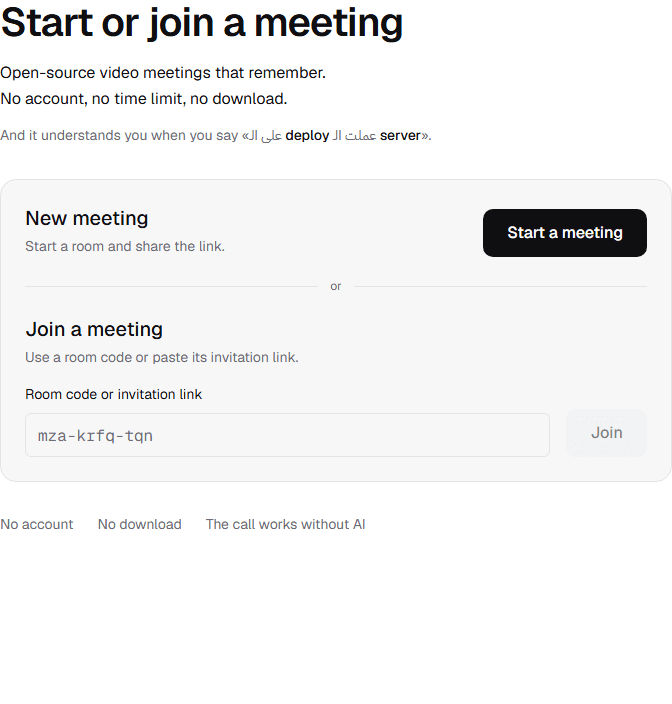
A real LOR. product home screen shows the focused start-or-join flow with no account, no download, and the meeting launcher.
A privacy-safe synthetic LOR. meeting workspace shows two call tiles beside live captions and a retained record panel.
Product, not a moodboard
The first screen gets people into a room. The shared workspace keeps the conversation close to the work. Each frame below is a privacy-safe capture of shipped UI language.
Start here
Create a room or paste an invitation link. The path is short, legible, and ready before optional AI features.
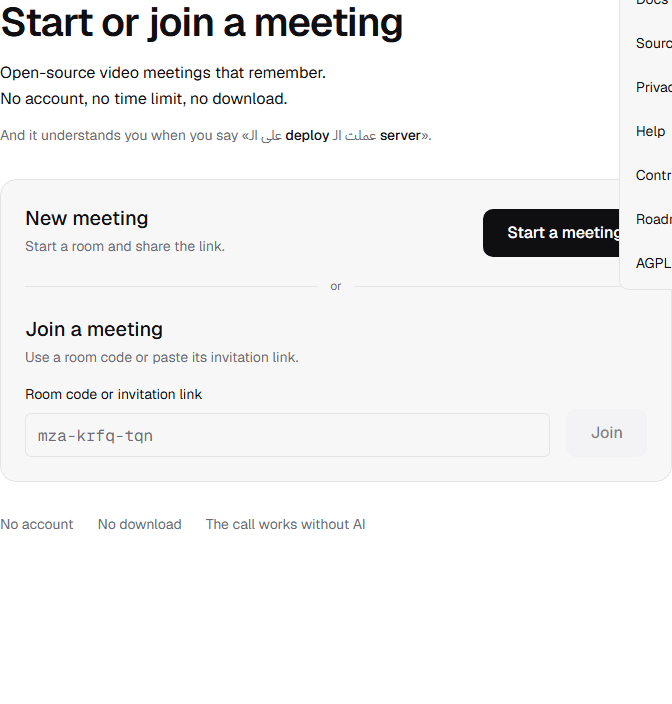
Stay oriented
Docs, security, contribution, roadmap, and the product entry point live together as quiet secondary routes.
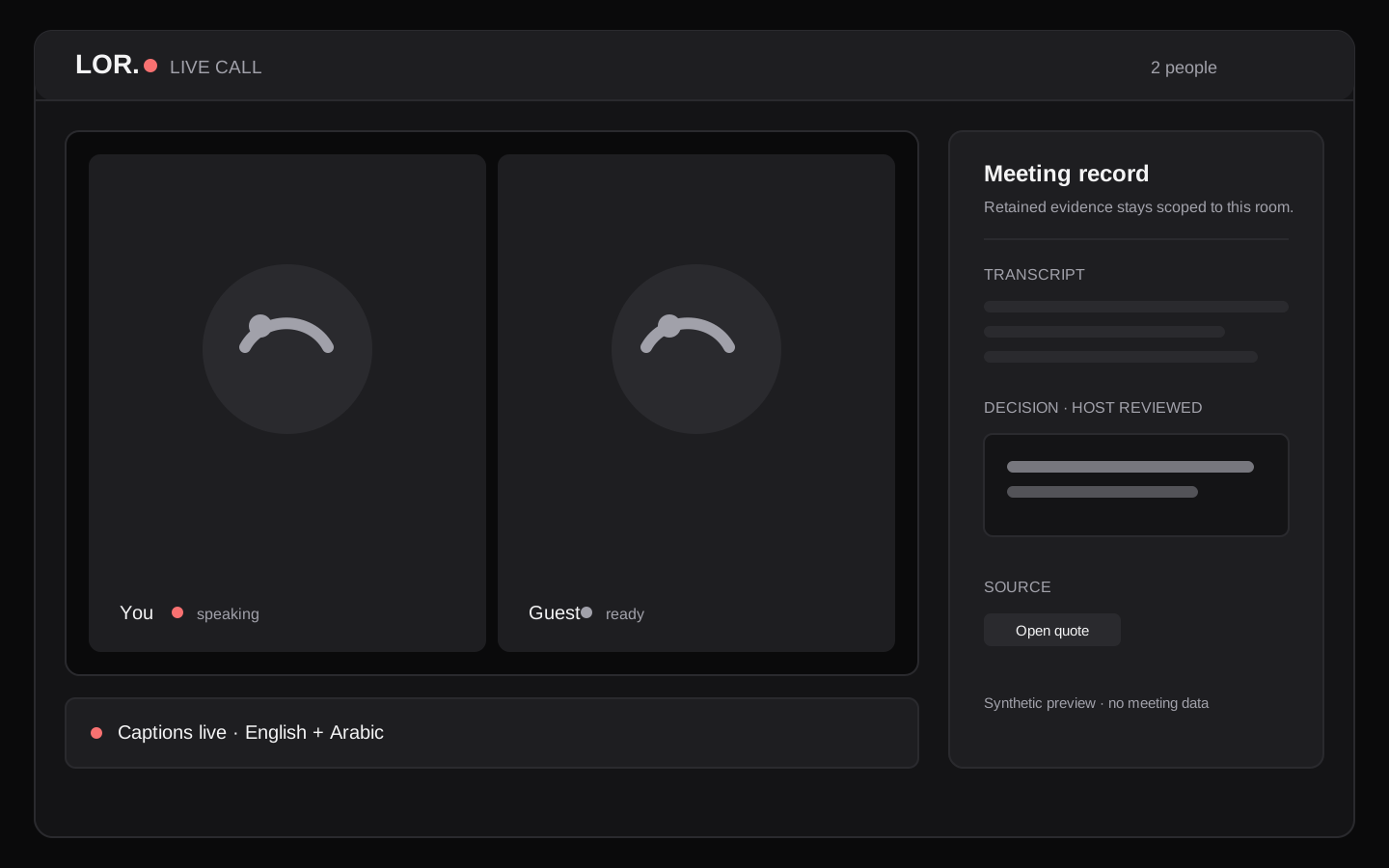
In the room
Captions, shared work, and evidence-backed decisions stay close without making the call depend on a dashboard.
The PNG captures are generated from the current local product UI with placeholder content only. The workspace illustration is synthetic until a reviewed community walkthrough lands.
One simple path
LOR. keeps the meeting itself simple, then makes the result easier to return to.
Open a link, type your name, and enter. No account or download stands between the invitation and the call.
Share a board, notes, chat, captions, and local recording while the conversation is happening.
Decisions, commitments, Timeline, Memory, and search stay bounded by retained source evidence.
What is already here
The useful parts are built into the room, with clear boundaries around what is live, what is retained, and what stays optional.
Arabic and English can stay in the scripts people actually use, with an evaluation set behind the claim.
Collaborate on a board, rich notes, and chat without leaving the meeting or adding another tab.
Keep a completed WebM in the same browser tab. It is never uploaded, shared, or stored by LOR.
Host-reviewed decisions and action items keep their exact source quote, speaker, and UTC time.
Return to the moments that shaped the meeting, with chapters and highlights tied to retained captions.
Find kept captions, confirmed decisions, and shared notes inside one room—never the live conversation.
Choose the right kind of room
This is a capability map, not a competitor scorecard. It shows where a familiar video room stops and what LOR. keeps connected.
| Capability | Conventional room | LOR. |
|---|---|---|
| Joining | Link and meeting | Link, name, and in |
| Shared work | Usually another tool | Board, notes, and chat in the room |
| Mixed-language captions | Depends on the service | Arabic and English, with source text |
| Recording | Cloud or manual export | Local WebM in your tab |
| Decisions and tasks | Notes after the call | Host-reviewed and source-backed |
| Returning to the record | Find the recording first | Room-scoped timeline, memory, and search |
| AI dependency | Varies by feature | The call works without AI or a key |
The baseline describes a common meeting flow, not a claim about any named product. See the README for the exact shipped boundaries.
A better next click
The local docs explain the room, the evidence boundary, the stack, and the contributor path in one calm place. GitHub is there when you are ready to inspect or change the code.
Open the docs hubStart from source
The same setup used for local development
git clone https://github.com/Lord-shaban/lor && cd lor
cp .env.example .env.local
npm install && npm run devDesigned with boundaries
LOR. makes the important edges visible so the room stays dependable when a provider, quota, or connection does not.
Search and memory stay inside the room's retained, completed record. Live speech and another room never leak in.
A completed local recording stays in the browser tab. It is not uploaded, shared, or kept by LOR.
Your provider key is encrypted in the browser and is never written to the database, logs, or cache.
AGPL-3.0 · Built in public
LOR. is AGPL-3.0. Read the map, run the app, choose a focused issue, and contribute a small change anyone can reproduce.
Before you join
No marketing maze. These are the boundaries that shape the product today.
No. Open a room link, type a display name, and join. The product home is intentionally a focused meeting entry point.
No. Video, audio, screen share, chat, board, notes, and local recording still work without an AI key or quota.
The finished WebM stays in the same browser tab. LOR. does not upload, share, or retain it.
Read CONTRIBUTING.md, choose a focused issue, run the checks, and open a small pull request. The repository keeps the workflow public.
Self-hosting is planned for v0.9. The hosted app is the current public path; follow the roadmap for the deployment contract.
Your next meeting can leave more behind
Try the hosted app, then open the source when you want to see how it works or help shape what comes next.